Cleanup-ready users
Rows that look ready for access cleanup, separated from review and protected users so the first pass focuses on likely savings instead of a flat user export.
 UnitlaneJira cleanup tools
Start with cleanup discovery before approval or proof workflows.
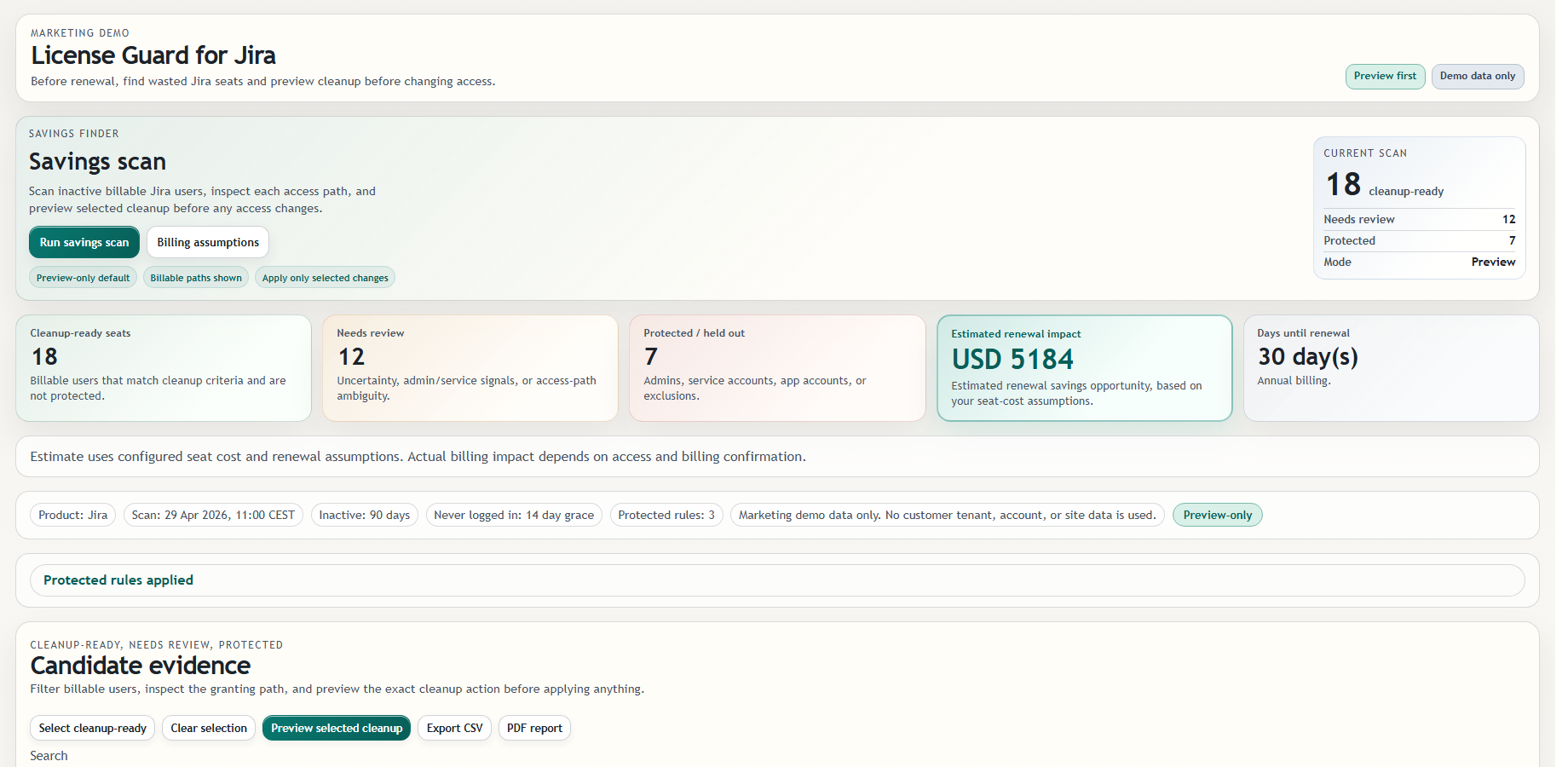
The savings scan finds billable Jira users to review and separates cleanup-ready, needs-review, and protected lanes.
Rows that look ready for access cleanup, separated from review and protected users so the first pass focuses on likely savings instead of a flat user export.
Uncertain users stay visible so admins can inspect billable paths, external-management limits, and protected status before deciding what to preview or export.
Admin, service, app, or excluded rows stay out of the default cleanup lane, which keeps savings discovery separate from risky access changes.
It does not guarantee savings or current-cycle billing changes.
Savings are planning estimates based on assumptions and selected cleanup candidates, not a promise that the current invoice or renewal will change.
Unavailable sources are labeled instead of being treated as clear, keeping coverage limits visible before an admin changes Jira.
License Guard for Jira License Cleanup stays focused on Jira cleanup review; identity lifecycle and account administration remain separate systems.
Continue to License Guard for Jira License Cleanup for the current screenshots, trust boundaries, docs, and Marketplace trial link behind this workflow.