Known location
You already know the project, scheme, role, share, or workflow to inspect.
 UnitlaneJira cleanup tools
Native Jira is enough when an administrator knows exactly which screen to inspect. Group Cleanup Radar adds a read-only reverse lookup across supported sources, coverage-aware change planning, Recheck, and selected-group Watch.
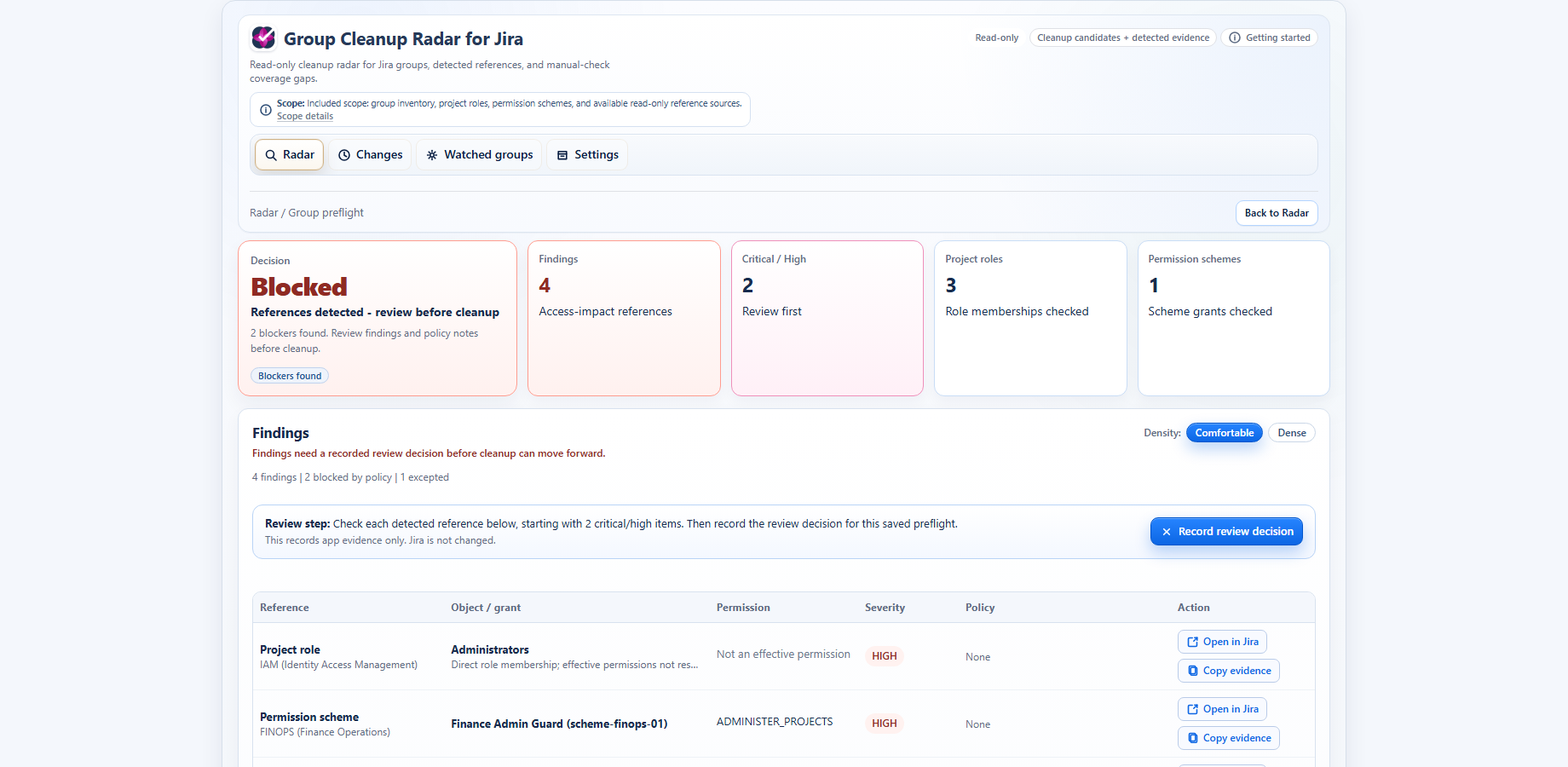
The useful difference is not whether native Jira can expose an object somewhere. It is whether the administrator can work backward from one group, keep coverage limits visible, and verify a recorded outcome afterward.
| Admin question | Native Jira | Group Cleanup Radar |
|---|---|---|
| List Jira groups | Available through Atlassian administration screens. | Scans group inventory and ranks candidates, blockers, member signals, and unknown coverage. |
| Find where one group is used | Inspect known screens and objects individually. | Runs a reverse lookup across supported Jira sources for the selected group. |
| Project-role references | Review project role actors project by project. | Shows detected role memberships and available Jira destinations. |
| Permission-scheme impact | Inspect scheme grants and then reason about affected projects. | Shows detected direct grants and derived role-to-permission paths where supported. |
| Shares, workflows, security, and notification context | Review the relevant native screens where the object is known. | Shows detected references when Jira exposes them and keeps partial or unavailable surfaces explicit. |
| Coverage transparency | The administrator maintains the checklist and notes. | Separates covered, partial, failed, unavailable, visibility-limited, and manual-check sources. |
| Prepare Delete, Replace, Retire, or Investigate | Plan and document the change outside the group lookup. | Records the intended outcome from the saved before-state; the Jira change remains manual. |
| Verify the result | Repeat the manual checks and compare notes. | Recheck compares a fresh supported-source scan with the recorded plan and stores the verdict. |
| Monitor selected important groups | Repeat checks on a chosen cadence. | Weekly Watch checks surface meaningful new paths, re-reference, or coverage regression for selected groups. |
| Change Jira configuration | The administrator uses native Jira controls. | Read-only: no group, permission, scheme, workflow, or identity-provider change. |
Use native Jira alone for a small, one-off check when you know the exact objects to inspect, can document the coverage yourself, and do not need a durable before/after workflow.
You already know the project, scheme, role, share, or workflow to inspect.
The number of objects and reviewers is small enough for a manual checklist.
You do not need a recorded plan, Recheck result, or selected-group monitoring.
Use Group Cleanup Radar when the question starts with the group rather than a known Jira screen, several supported sources may matter, or another reviewer needs to understand what changed and what remains uncertain.
Start from the Jira group and inspect detected direct and derived paths across supported sources.
Record the intended Delete, Replace, Retire, or Investigate outcome and Recheck the supported paths afterward.
Keep partial, failed, unavailable, visibility-limited, and manual-check areas visible instead of turning them into a false green result.
Follow important or retired groups for meaningful new paths or coverage regression without watching every group by default.
Group Cleanup Radar does not find every Jira or third-party reference, guarantee safe deletion, or make the Jira change. Native Jira remains the place where the administrator acts; GCR provides detected evidence, an explicit coverage boundary, and structured follow-through.
Review the full product workflow and current screenshots first, or start the Marketplace trial when the fit is already clear.