1. Scan impact
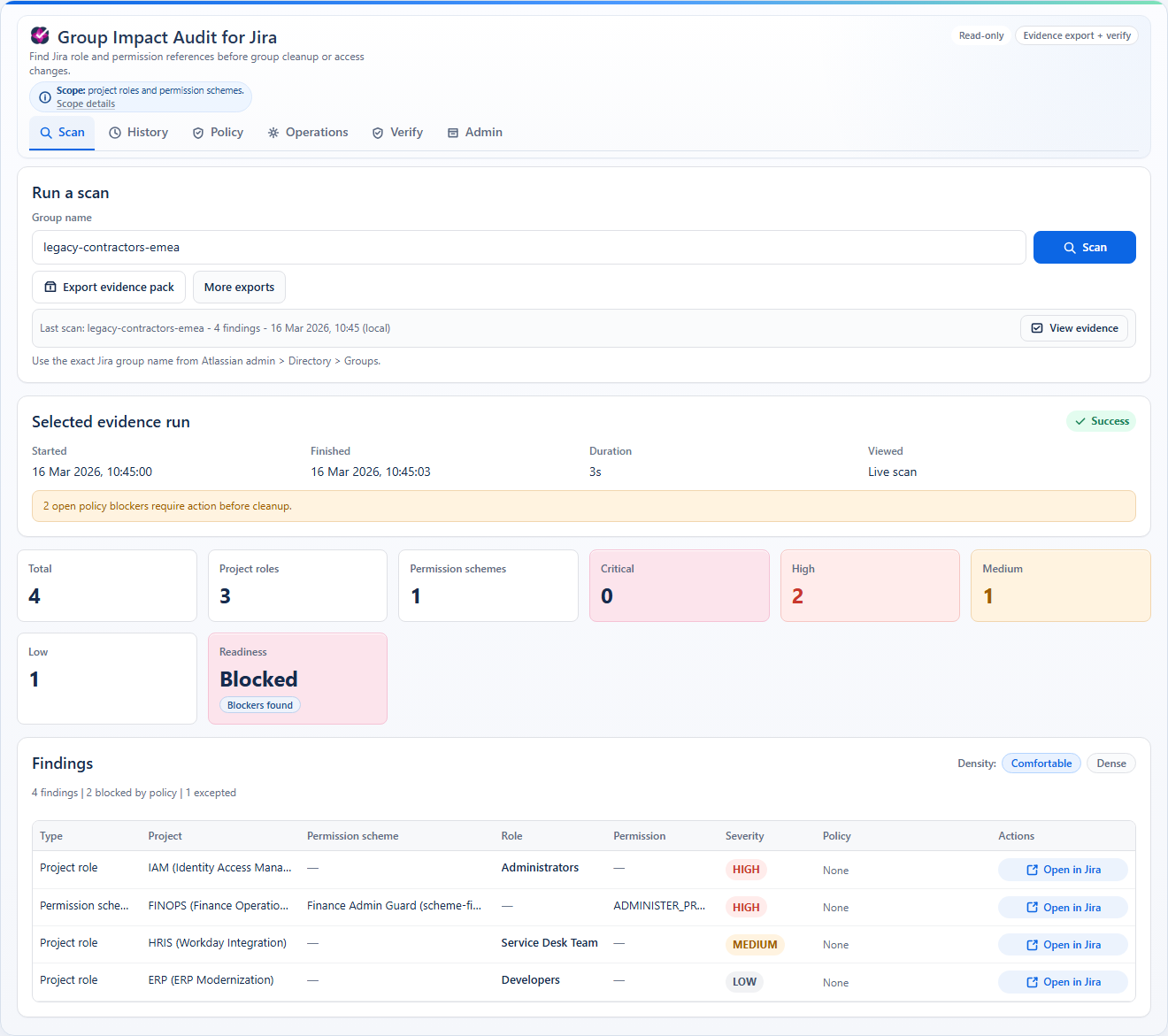
Enter one exact group name and run a read-only scan across supported Jira configuration surfaces.
 Group Impact Audit for Jira
by Unitlane
Group Impact Audit for Jira
by Unitlane
Group Impact Audit for Jira is a read-only analysis app for Jira Cloud. It scans project roles and permission schemes, surfaces blockers and severity, and produces evidence you can verify later.
The launch scope is deliberately narrow so the output stays legible and defensible in real admin workflows.
Enter one exact group name and run a read-only scan across supported Jira configuration surfaces.
See blocked findings, severity, and readiness in one audit-oriented view before cleanup starts elsewhere.
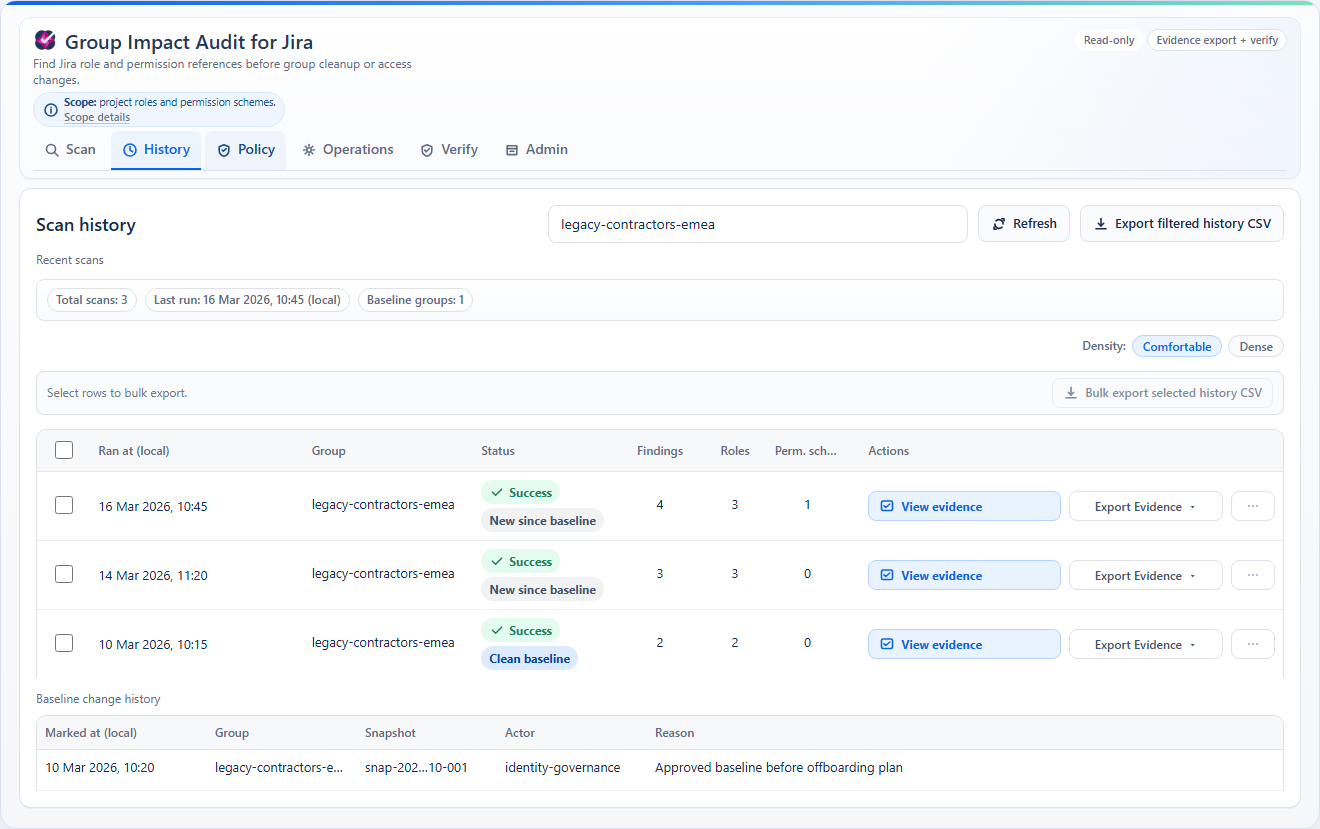
Save the run, export the evidence pack, and verify it later instead of relying on screenshots or memory.
The app is designed around one coherent job: understand group access impact before deletion or cleanup.
Project roles and permission schemes for exact group-reference analysis at launch.
Findings, severity, readiness, baselines, and snapshot comparison stay in one evidence model.
Policy rules, exceptions, drift visibility, and top-risk review support ongoing operational control.
ZIP, CSV, PDF, manifest, and verification workflows make the result reviewable after handoff.
It helps admins understand impact before they change Jira. It does not make those Jira changes for them.
The interface is optimized around a workflow: scan one group, inspect blockers, compare state over time, export proof, and verify the result later.
At launch the product uses one public package, one full-featured trial, and Atlassian-managed checkout.
Customers evaluate and purchase through Atlassian Marketplace.
Every feature is available during evaluation.
No public free tier and no external starter/pro/enterprise ladder.
Use Atlassian Marketplace for the live per-user-band price table at launch and checkout.
The product page is not the only surface. Support, guide, FAQ, privacy, terms, and security details are already split into public pages.
Install flow, scan behavior, severity meaning, evidence verification, and scope limits.
Contact path, response targets, and the ticket details needed for triage.
Short answers about scope, stored data, baselines, policies, and proof handling.
Read-only posture, data handling summary, incident reporting path, and trust notes.